



You can track calories with AI for free right now, using tools you probably already have on your phone. ChatGPT and Google Gemini can both look at a photo of your food and estimate calories and macros, no subscription required.
That said, free doesn’t mean flawless.
Before you build your whole day around an AI’s guess, it helps to know how this works, where it gets things wrong, and how to use it in a way that works for a Nigerian plate of amala and ewedu, not just a Western salad bowl.
Can You Really Track Calories With AI for Free?
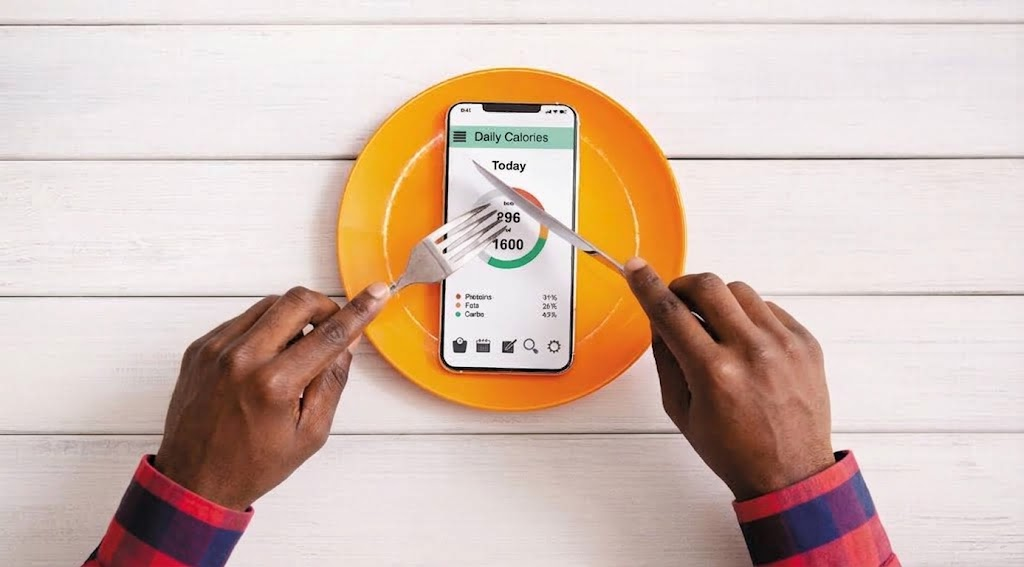
Yes. ChatGPT’s free tier and Google Gemini’s free tier can both analyse a food photo and return an estimated calorie count, without you paying anything or downloading a dedicated calorie-tracking app. You just need a smartphone, data, and a chat interface.
However, “free” comes with trade-offs.
Free tiers have daily usage limits, and the accuracy of the estimate depends heavily on how you take the photo and what you tell the AI about your meal. As a result, this method works best as a habit-building tool, not a clinical-grade log.
How Does AI Calorie Tracking Work?
AI calorie tracking works by combining computer vision, which identifies the food in your photo, with a nutrition database the model was trained on, which supplies the calorie and macro values.
You snap a photo, the AI names the dish, estimates the portion size, then matches it against known nutrition data.
The AI is doing what a dietitian does during a quick visual assessment, guessing weight and volume from what’s on the plate. The difference is that a trained eye adjusts for context (oil pooling under jollof rice, the density of pounded yam) in ways a model sometimes misses.
Three things drive accuracy here:
- Food identification. Can the model correctly name the dish?
- Portion estimation. Can it guess how much is on the plate?
- Database matching. Does it pull a nutrition value close to the real one for that specific dish, especially for local foods that aren’t well represented in Western training data?
How Accurate Are AI Calorie Counters?
AI calorie counters are reasonably accurate for single, simple foods but far less reliable for mixed dishes, which describes most Nigerian meals.
A 2025 systematic review found that relative errors between AI estimates and true calorie counts ranged anywhere from about 0.10% to 38.3%, and that accuracy was better when the images showed single or simple foods rather than complex ones.
A separate 2025 study tested ChatGPT-4 directly against seven dietitians estimating calories from meal photographs, which is about as close as it gets to a real-world Nigerian use case: one photo, one guess, no scale. That study is worth reading if you want the full methodology.
How Do You Track Your Food With ChatGPT?

Tracking food with ChatGPT is straightforward once you know what to ask for.
- Open chatgpt.com or the app, and log in. You don’t need a paid plan for this.
- Take a clear, well-lit photo of your meal before you start eating. Shoot from directly above if you can, since angled photos make portion size harder to judge.
- Upload the photo and name the dish yourself. Instead of just asking “how many calories,” say something like: “This is a plate of jollof rice, fried plantain, and grilled chicken thigh. Estimate the calories, protein, carbs, and fat, and ask me anything you need to know about portion size.”
- Answer its follow-up questions honestly. If it asks how many cups of rice or how much oil was used, give your best estimate. This single step improves accuracy more than anything else you can do.
- Ask it to keep a running tally. At the end of the day, paste in a summary of everything you ate and ask ChatGPT to total your calories and macros. It won’t remember previous chats unless you keep the conversation going, so keep one thread open per day.
- Save the summary somewhere. Copy the day’s totals into your Notes app or a simple spreadsheet so you can spot patterns over a week, rather than judging yourself off a single day.
This whole process takes less time than opening a barcode scanner app and searching a database that probably doesn’t have “moin moin” in it anyway.
How Do You Track Your Food With Google Gemini?
Google Gemini works almost the same way, and it’s a solid alternative if you already use Gmail or an Android phone, since it’s built into the Google ecosystem.
Open gemini.google.com or the Gemini app, upload your food photo, and describe the dish the same way you would with ChatGPT.
One small advantage: because Gemini is tied closely to Google Search, it sometimes cross-references its answer with published nutrition data more visibly, which can make it easier to check a strange-looking number.
If Gemini tells you a small bowl of pepper soup is 900 calories, you can ask it to show its reasoning and catch the error before you panic.
Both tools have daily free usage caps, so if you’re logging three meals a day plus snacks, you may hit a limit and need to wait until the next day resets, or alternate between the two.
Where AI Calorie Tracking Struggles With Nigerian Food
AI calorie tracking struggles most with dishes that are visually dense, oil-heavy, or underrepresented in the datasets these models were trained on, and that describes a large share of Nigerian cooking.
A pot of egusi, a wrap of moin moin, or a bowl of nkwobi doesn’t look like anything in a typical Western food-recognition dataset, so the model is often pattern-matching to the closest thing it knows rather than the actual dish.
This shows up in a few predictable ways:
- Oil and palm oil get underestimated. A tablespoon of palm oil is roughly 120 calories, and it’s easy for an AI to miss how much sits at the bottom of a bowl of soup.
- Swallow portions are hard to judge visually. Eba, fufu, and pounded yam are dense and compact, so a fist-sized ball can carry more calories than it looks like it should.
- Fried foods vary wildly in oil absorption. Puff-puff, akara, and dodo soak up different amounts of oil depending on how they were fried, and no photo can show you that.
Because of this, treat the AI’s first estimate as a draft, then adjust it upward slightly for anything swimming in oil, and downward slightly for lean proteins like grilled fish or chicken breast, which people tend to overestimate.
Free AI Tools vs Paid Calorie-Tracking Apps
Choosing between a free AI calorie counter and a paid tracking app comes down to how much structure you need versus how much you’re willing to correct manually.
Here’s how they compare:
| Feature | Free AI tools (ChatGPT, Gemini) | Paid calorie-tracking apps |
| Cost | Free, no card required | Usually a monthly or yearly subscription |
| Food database | General knowledge, not Nigeria-specific | Often has a searchable branded/local food database |
| Portion accuracy | Depends on your description | Depends on your description too, but often paired with barcode scanning |
| Data usage | Needs internet for every query | Can log offline, sync later |
| Best for | Occasional checks, learning your habits | Daily, structured tracking over months |
If you’re a student trying to eat well on a limited allowance, the free route is usually enough. If you’re managing a specific health condition and need consistent daily logs your doctor or dietitian can review, a paid app with a proper history feature is worth the money.
Tips to Get More Accurate Results When You Track Calories With AI
Getting a useful number out of an AI calorie counter depends far more on your input than on the tool itself. A few habits make a real difference.
- Always name the dish and the main ingredients yourself instead of relying purely on the photo. “Jollof rice with chicken” gets you a far better estimate than a photo alone, because the AI stops guessing what it’s even looking at.
- Give a size reference in the photo, like your hand, a spoon, or a standard plate. This helps with portion estimation, which, as the research above shows, is where AI struggles most.
- Ask for a range instead of a single number. Instead of accepting “450 calories,” ask the AI to give you a low and high estimate based on portion uncertainty, then plan around the higher number if you’re trying to lose weight, or the lower number if you’re trying to gain.
- Don’t chase precision on a single meal. AI calorie tracking is far more useful as a way to spot weekly patterns, like realising you eat fried food four times a week, than as an exact daily number.
FAQs
- Is it safe to rely only on AI to count calories?
It’s fine for general awareness, but not for medical nutrition therapy. If you have diabetes, a kidney condition, or another issue that needs precise intake tracking, work with a dietitian alongside any AI tool. - Can ChatGPT read a NAFDAC nutrition label instead of guessing from a photo?
Yes, if you photograph the label clearly, ChatGPT can read and total the printed values, which is usually more accurate than estimating a homemade meal from a photo. - Does using AI to track calories cost data on a Nigerian network?
Yes, uploading photos uses more data than plain text chat, so budget a small amount of data per session, especially if you’re logging multiple meals a day. - Which is better for tracking Nigerian food, ChatGPT or Gemini?
Neither has a clear edge for local dishes specifically, since both were trained mostly on global data. Try both for a week and stick with whichever one asks better follow-up questions about your actual portions.